check-in About Self Check-in
Receive Your Entrance PIN Code
by the Day Before Your Arrival
We will send the entrance PIN code via SMS to your registered mobile number by the day before your stay.
If you have not received it by then, please give us a call. To ensure a smooth entry on the day of your arrival, please check that you have received it in advance.
- Please Note:
- ・If you do not receive the SMS, please also check that your mobile number is correct.
- ・If you are unable to receive the SMS, we kindly ask you to contact us at yoyaku@useki-iori.com for assistance.
Payment at Check-in
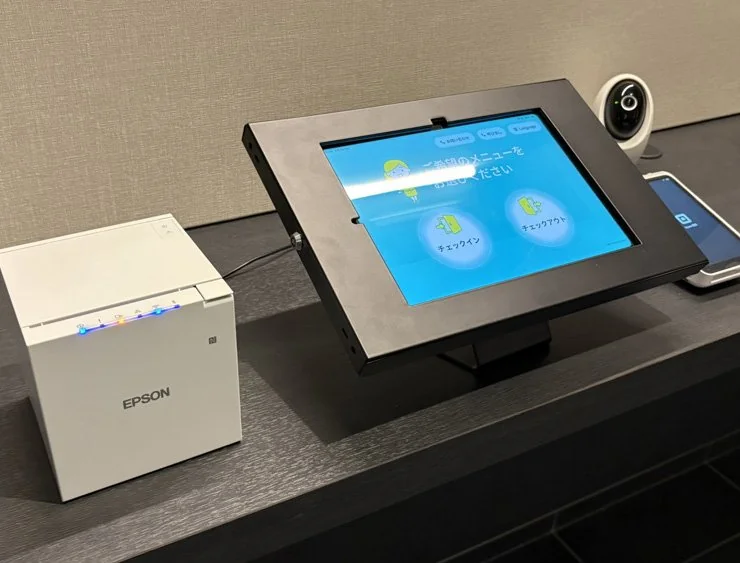
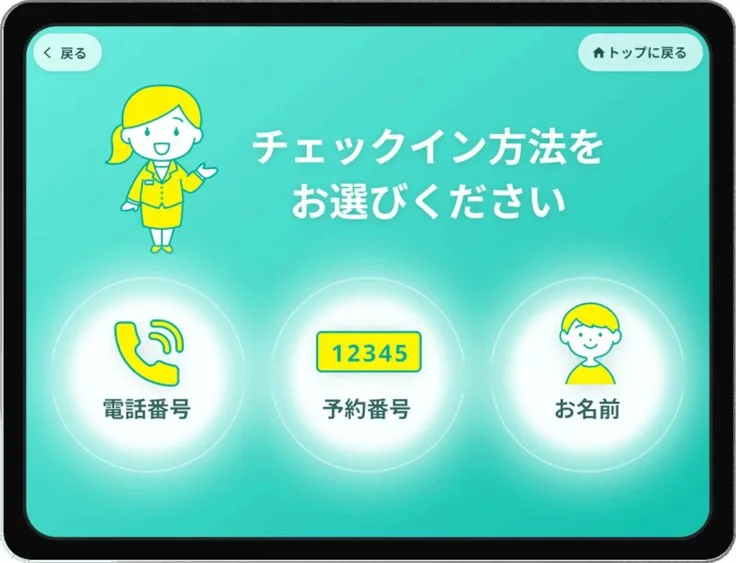
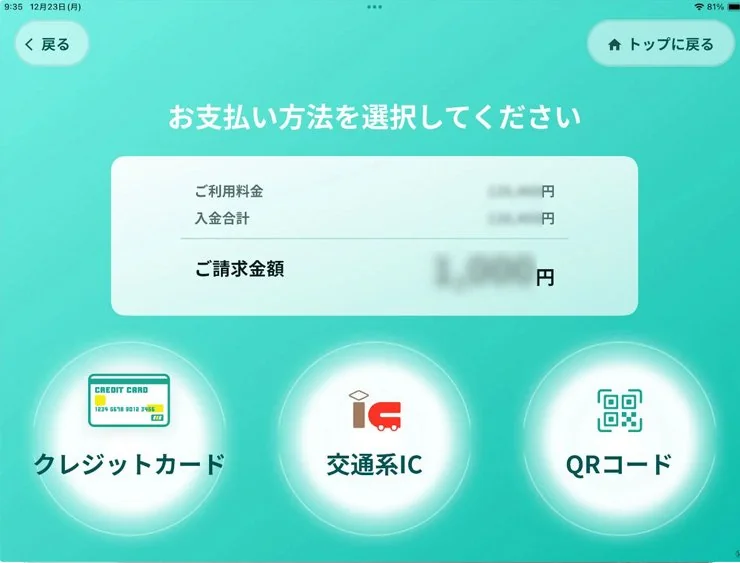
Payment is required at the time of check-in. After entering the building, please proceed to the check-in counter on your right and follow the instructions on the tablet screen. Select your check-in and payment methods to complete the process.
・Cash is not accepted. We only accept cashless payments.
・Credit Cards (VISA • MASTER • JCB • AMEX • DINERS, and other major cards)
*Contactless payment is available.
・QR Code Payments (PayPay • d Pay • auPAY • Rakuten Pay, etc.)
・E-money (iD • Rakuten Edy • WAON • nanaco • QUICPay • Transportation IC cards)
*QR Code is a registered trademark of DENSO WAVE INCORPORATED.
- About Receipts:
- ・After payment, your receipt will be printed from the printer at the check-in counter. Please be sure to take it.
- ・For online card payments and prepayments, the payment screen will be skipped after identity verification. Only a sheet with your PIN code will be printed.
*Please download your receipt from the travel website where you made your reservation.
Confirm Your Room PIN Code
After check-in, the printed sheet will show your room's PIN code along with the entrance code. Please enter your room PIN to access your room.
Room PIN Code (Example)
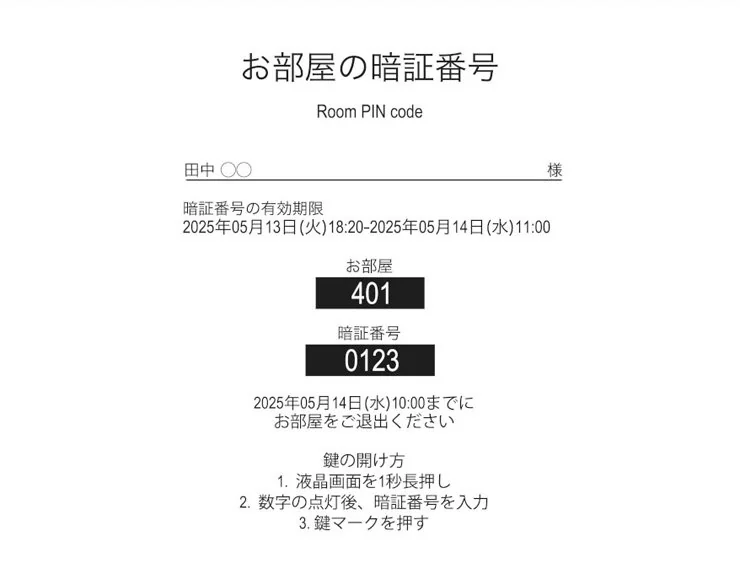
*After check-in, you can use your room PIN to enter and exit through the main entrance.
- Check-in / Check-out Times:
- ・Check-in: 15:00 – 5:00 AM (next day)
・Check-out: By 10:00 AM
How to Enter Your Room
Our room doors use smart locks. Please follow the steps below to enter your room.
-
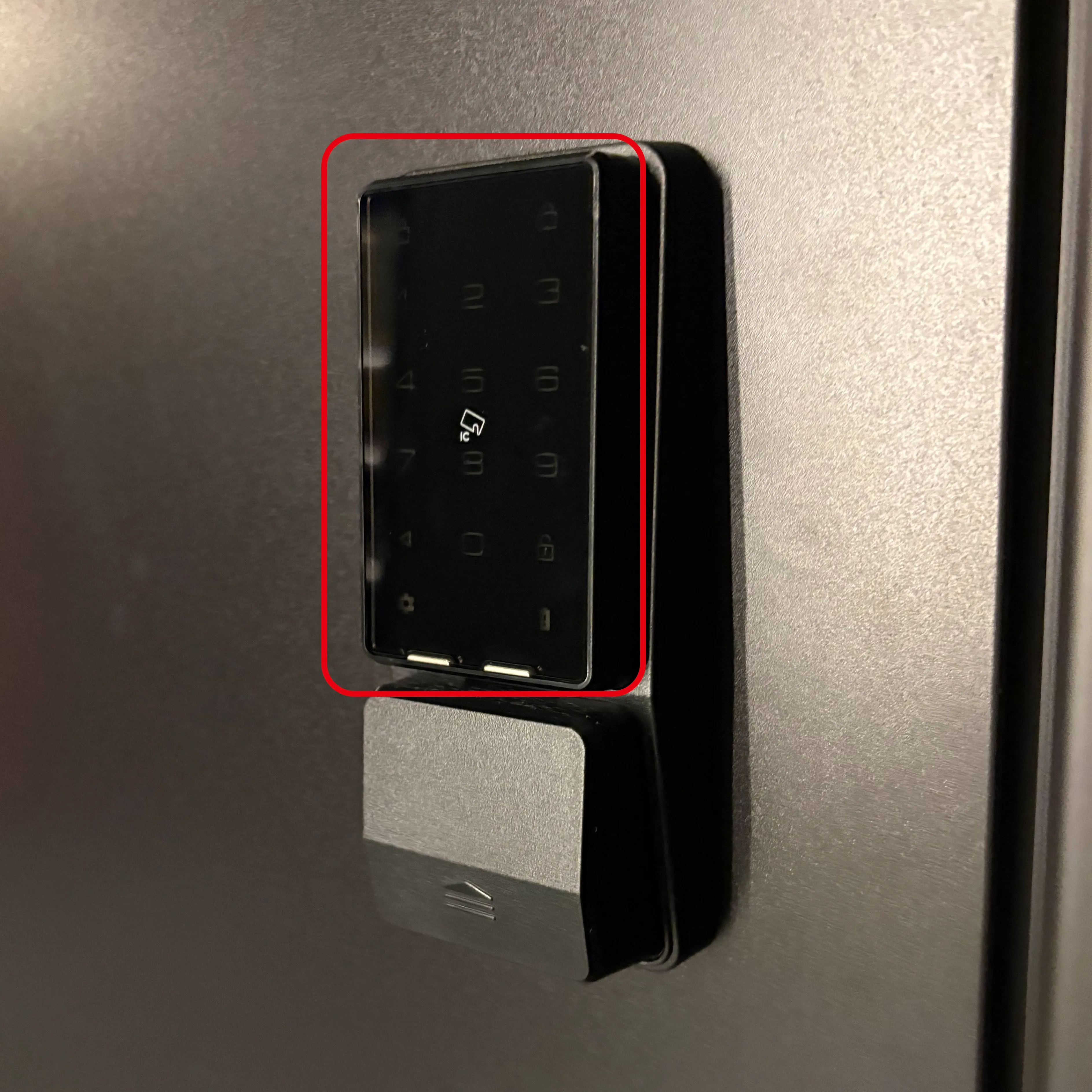
Press the Panel
-
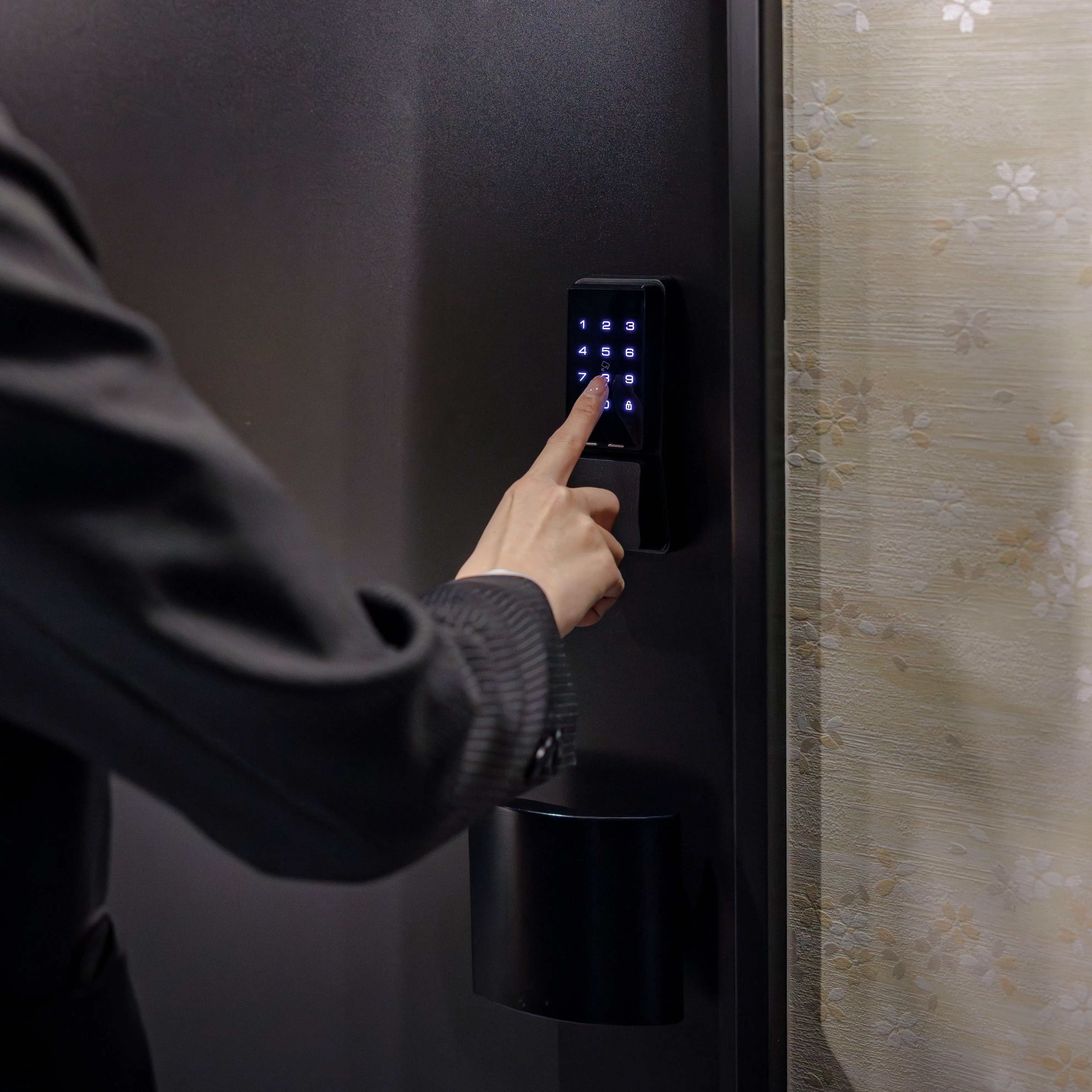
Enter the PIN
-
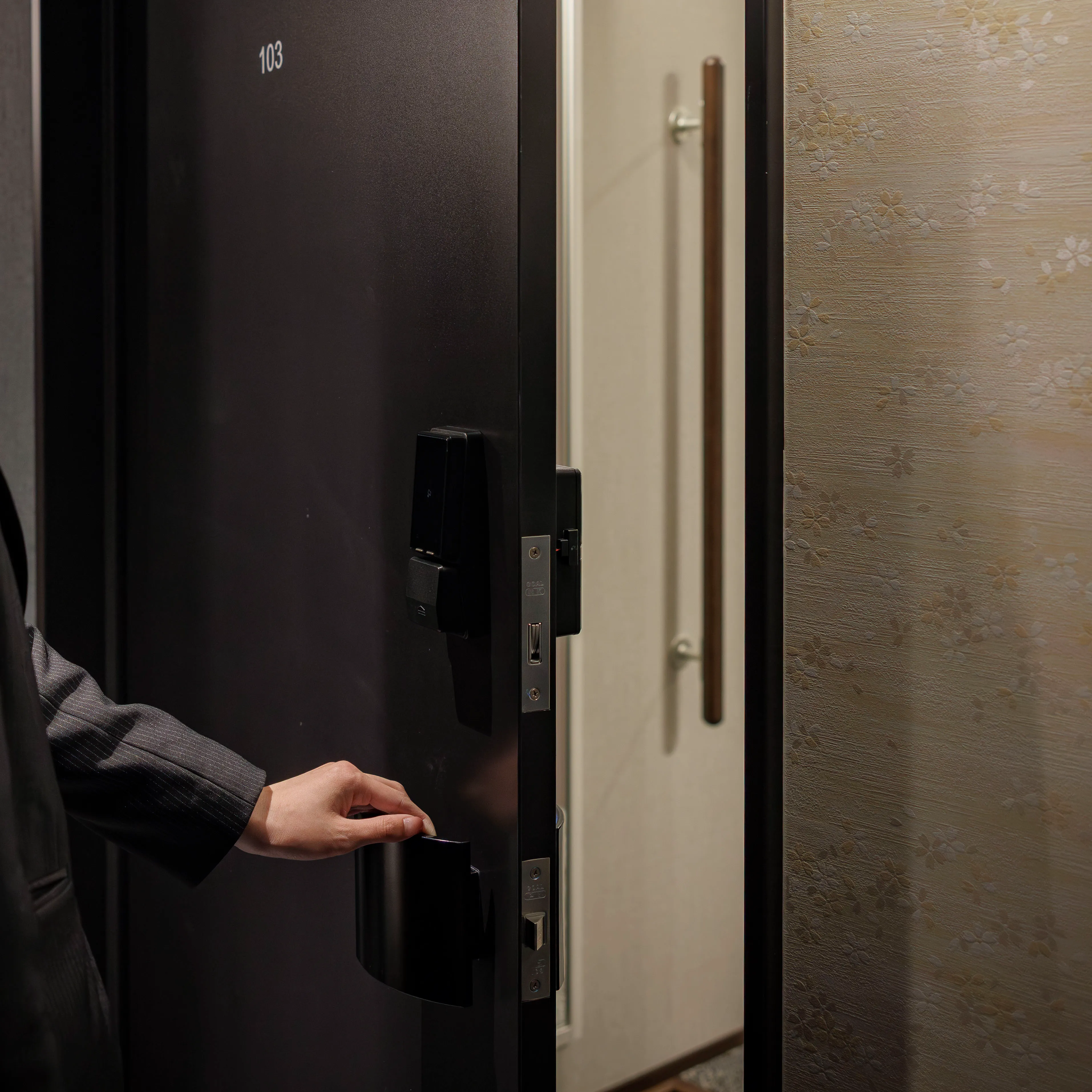
Open the Door and Enter
- 1 Lightly press the panel for about one second.
- 2 The number keys will light up. Enter your room PIN, then press the lock icon in the bottom right.
- 3 The door will unlock. Pull it to enter. The door will lock automatically.
- Need Help?
- ・Please call the contact number listed below.
086-237-1881(Available 24/7)